Workspace
Import your reference library without changing how you work.
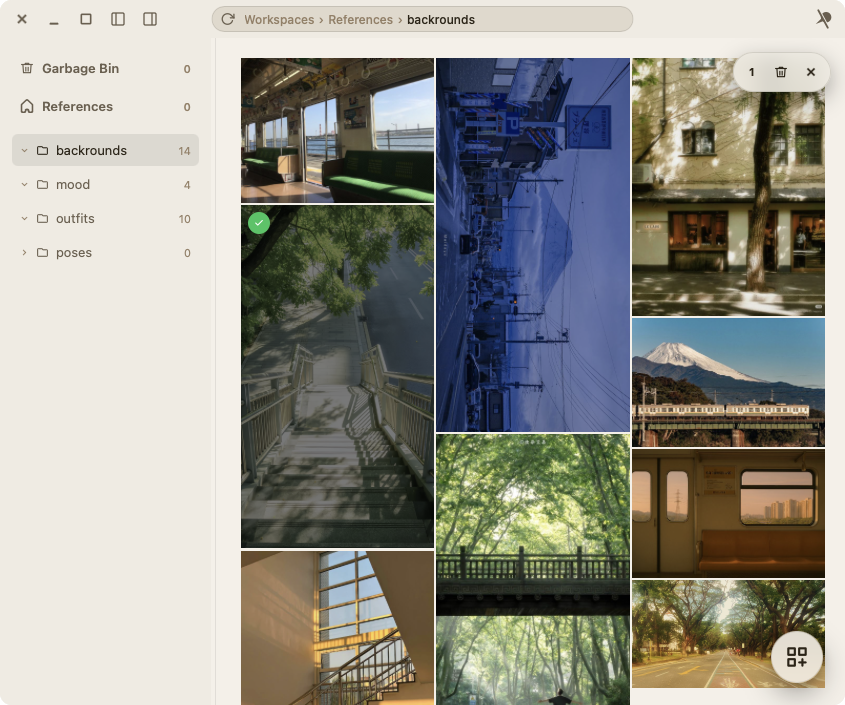
Bring local folders into Pelicon and browse everything visually, with image details close at hand and no cloud workflow in the way.
Your personal reference-image organizer made for artists who see value in organization. Import your personal folders and sort, organize, and create a moodboard. Arrange everything your way, locally.
Demos
Workspace
Bring local folders into Pelicon and browse everything visually, with image details close at hand and no cloud workflow in the way.
Boards
Drag, scale, group, and compare references on a canvas made for visual exploration instead of file management chores.
Customize
Adjust board details and presentation quickly, then keep moving while the visual direction is still fresh.
Latest News